macOS Cloud
Dedicated Rental, Ready Instantly
kvmspot offers bare-metal Mac mini M4 / M4 Pro rental across 5 global cloud nodes. Flexible monthly subscriptions — connect via remote access within minutes of placing your order.
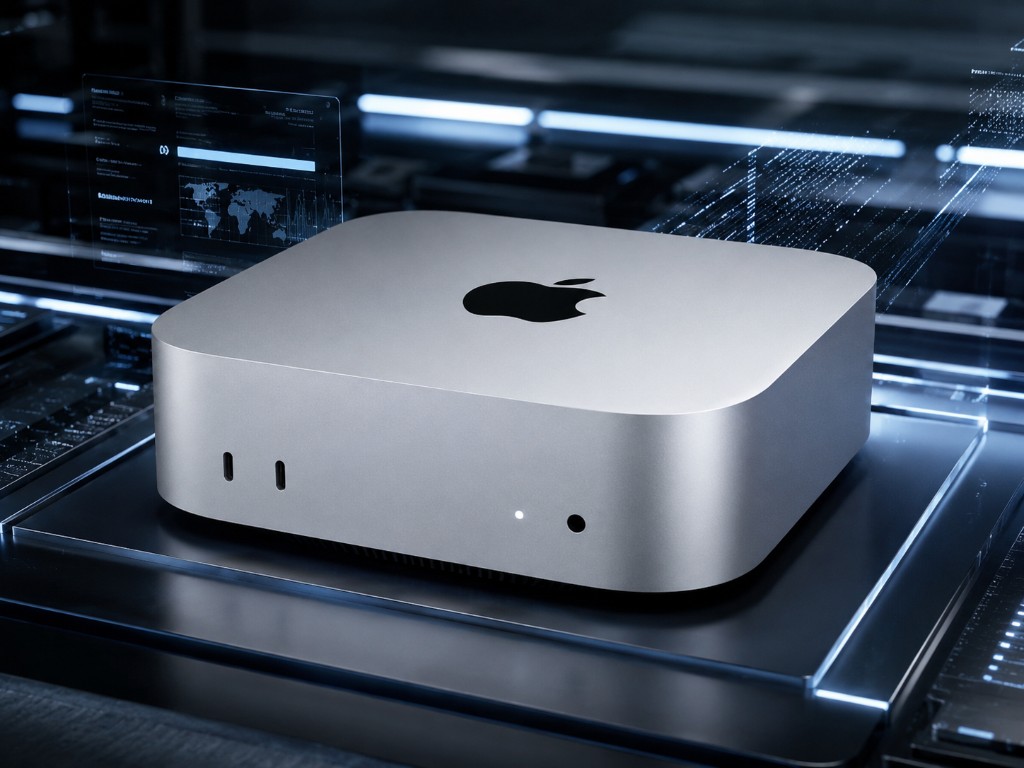
Bare-Metal Hardware
Original Mac mini, dedicated, zero virtualization overhead
Flexible Monthly Billing
macOS cloud hosting billed monthly, cancel anytime
Fast Cloud Provisioning
macOS rental environment auto-provisioned, SSH in seconds
Dedicated On-Site Support
Engineers on call 24/7, full-service Mac mini rental support
macOS Cloud Rental Pricing, Clear and Transparent
Brand-new Mac mini M4 / M4 Pro bare-metal rental — upgrade specs or add instances anytime, no long-term contracts
M4.Mini
Personal learning & entry-level iOS cloud development
- 10-core CPU / 16GB RAM
- 256GB SSD
- Standard network + dedicated IP
M4.S
Professional macOS development & large app builds
- 10-core CPU / 24GB RAM
- 512GB SSD
- Dedicated bandwidth + priority support
M4.Pro
Enterprise macOS CI/CD & high-performance rendering
- 14-core CPU / 64GB RAM
- 2TB SSD
- High-speed 10Gbps dedicated line
* All prices exclude tax · Extra storage +1TB $13.7/mo · +2TB $27.4/mo · Network bridge $8.3/mo
Mac mini Rental Specifications
Compare plans side by side to quickly identify the key hardware specs of each macOS cloud rental tier and find the perfect match for your needs
| Hardware Specs | Mac mini M4 Best Seller | Mac mini M4 Performance | Mac mini M4 Pro Pro Workstation |
|---|---|---|---|
| CPU & GPU | |||
| Cores | 10-core | 10-core | 14-core |
| GPU Cores | 10-core | 10-core | 20-core |
| Neural Engine | 16-core | 16-core | 16-core |
| Memory & Storage | |||
| Unified Memory | 16 GB | 24 GB | 64 GB |
| SSD | 256 GB | 512 GB | 2 TB |
| Expandable Storage | 1 TB / 2 TBOptional Add-on | 1 TB / 2 TBOptional Add-on | 1 TB / 2 TBOptional Add-on |
| Network & Access | |||
| Network Bandwidth | 1 GbpsShared Uplink | 1 GbpsDedicated Public IPv4 | 10 GbpsDedicated High-Speed Line |
| Remote Access | SSH / VNC | SSH / VNC | SSH / VNC / Private Line |
| Service Guarantee | |||
| Bare-Metal Dedicated | |||
| SLA Uptime | 99.9% | 99.9% | 99.95% |
← Swipe to see full specs →
Four Key Advantages of kvmspot macOS Cloud Rental
kvmspot specializes in dedicated bare-metal Mac mini rental with fast provisioning and monthly billing, purpose-built for iOS developers and CI/CD automation teams.
macOS Cloud Rental, Ready on Day One
kvmspot Mac mini M4 bare-metal performance unlocks dramatically faster Xcode builds. Monthly rental eliminates the need to purchase hardware or build your own server room, reducing team costs.
Dedicated Mac mini, Full macOS Environment
Every Mac mini rented through kvmspot is a real, dedicated physical machine. Run Xcode and all native macOS apps in full, with support for binding your own Apple ID.
Flexible Terms, Multi-Region Cloud Nodes
kvmspot macOS rental nodes span multiple global regions. Each machine comes with a dedicated public IP and 1Gbps direct line, billed monthly with the freedom to cancel anytime.
Native macOS CI/CD Pipeline Support in the Cloud
Mac mini rental machines integrate seamlessly with GitHub Actions, Jenkins, and other major CI platforms — automate builds and tests in the cloud and free up your local machines.
What Is macOS Cloud Hosting Rental?
macOS cloud hosting rental means co-locating Apple Silicon bare-metal hardware in a professional data center, accessible remotely over the internet via SSH terminal or VNC graphical desktop. It's fundamentally different from a Mac virtual machine — we rent real Mac mini hardware with the full native performance of M4 / M4 Pro, with zero virtualization overhead.
kvmspot's macOS cloud rental platform operates across 5 global nodes. Your dedicated Mac mini cloud instance is activated within minutes of payment confirmation. Whether you're building iOS apps, running CI/CD pipelines, or doing cross-platform development, cloud Mac mini rental is far more cost-effective than purchasing hardware.
Every macOS rental instance has exclusive access to the full Apple Silicon compute — no compute resources are shared with other users. kvmspot's cloud Mac infrastructure is purpose-designed for development teams that demand high availability, high performance, and low-latency global access.
Is macOS Cloud Rental More Cost-Effective Than Buying Hardware?
In the cloud era, asset-light operations enable faster response to market changes. Let kvmspot handle Mac mini hardware management and maintenance so your team can focus entirely on product and development.
-
Zero Hardware Cost, Ready Instantly
No upfront equipment purchase needed — kvmspot macOS cloud rental starts at just $102.7/month, billed monthly to minimize capital tied up in hardware.
-
Say Goodbye to Hardware Maintenance
Network bandwidth, power availability, disk failures — all handled by our professional data center team. Mac mini rental users never need to worry about any underlying infrastructure.
-
A Real macOS Environment Without Geographic Limits
Easily access a real Mac mini physical machine in Hong Kong, the US, and more. See theVM vs. Bare-Metal GuideandCloud remote desktop accessplans.
Global Node Distribution for macOS Rental Machines
Choose the Mac mini cloud rental node closest to your team for the lowest-latency, smoothest macOS remote access experience
How to Get Started with macOS Cloud Rental Quickly?
After placing your Mac mini rental order, just four steps to connect from any device to your dedicated macOS cloud instance — fully automated and easy to track.
View Plans & Get StartedChoose a Plan and Pay Online
Pick a Mac mini M4 / M4 Pro macOS cloud rental plan, configure storage as needed, then select monthly or quarterly billing and complete payment.
Automatic macOS Environment Provisioning
The platform automatically allocates your Mac mini instance and deploys a clean macOS system — no manual steps required. Cloud initialization typically completes within minutes.
Receive Your Cloud Access Credentials
Log in to the console to view your macOS rental machine's public IP, VNC / SSH port, and initial password. A setup confirmation email is also sent to your registered address.
Connect Remotely and Start Working
Access your macOS cloud instance via SSH terminal or VNC remote desktop. Run Xcode, deploy CI/CD pipelines, or execute automated tests right away.
macOS Cloud Rental FAQ
The most common questions developers and teams ask before starting a Mac mini rental
Get Started Now
Try Mac mini macOS Cloud Rental Today
On-demand Mac mini M4 power with a first-month exclusive offer — cancel anytime, zero barrier entry to a clean macOS cloud environment.